
Launch your own training platform, under your brand
Complete Learning Management System — Online, Onsite, Hybrid & Webinars
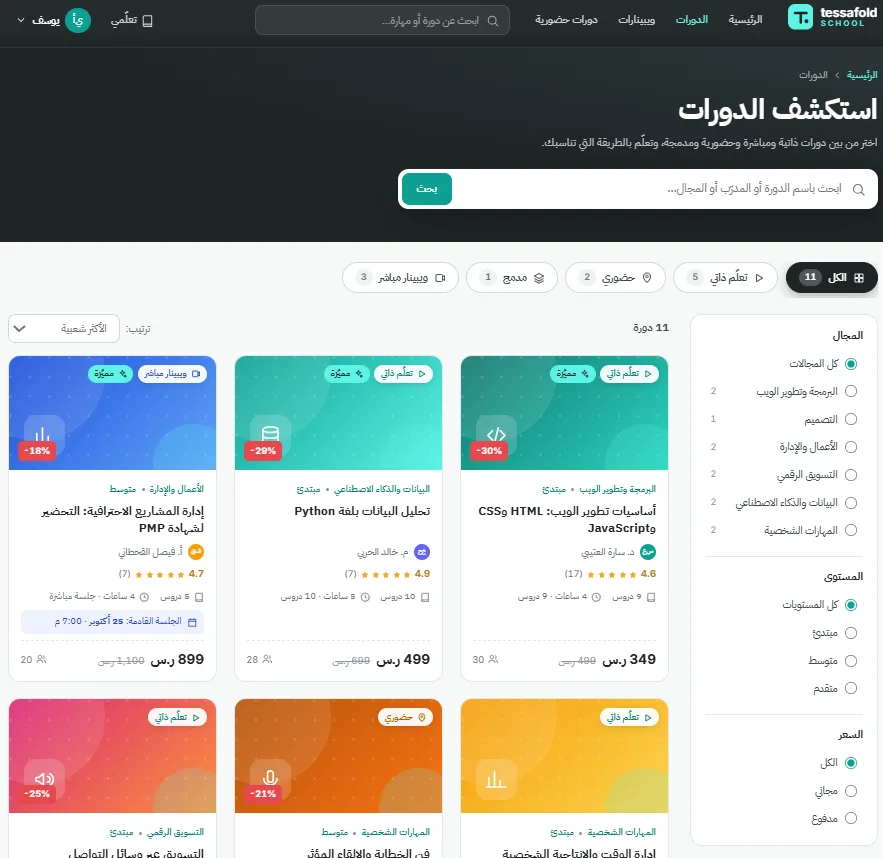
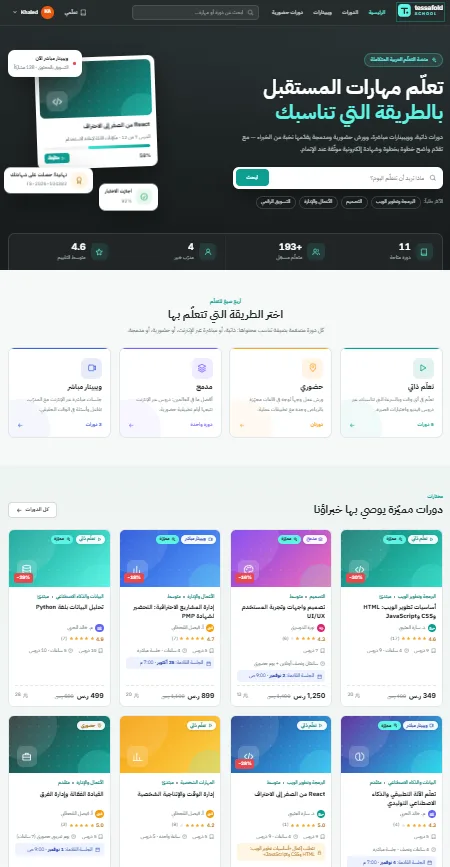
A fully featured LMS supporting 4 course types: e-learning, onsite seminars, hybrid courses, and live webinars via Microsoft Teams. Includes student, company, instructor and admin roles, automated certificate generation, Stripe payments, Odoo bookkeeping integration, and special pricing tiers.
48h response · No commitment
Who it is for
- ✓Training institutes and academies selling courses to the public
- ✓Vocational schools running theory online and practice on site
- ✓Professional bodies issuing certificates their members need
- ✓Companies training their own staff and tracking who finished what
The decision you are making
Most course platforms handle one shape of learning. They sell recorded video well, then fall apart the moment a course needs a room, a date and a seat limit — or the moment a company wants to buy twenty places and see who finished. Running a seminar business on a video platform means a spreadsheet beside it for attendance, another for invoices, and no single answer to "did this person complete the course". This platform treats all four shapes as first-class, under one account and one certificate.
Four kinds of course, one platform
Online
Recorded video, the way a learner expects it. A course is split into parts, each holding videos or written lessons, with interactive exercises and quizzes along the way. Lessons unlock in order — a learner cannot jump ahead before finishing what comes first. Questions go to the instructor inside the course, and a certificate is issued at the end under the institute owner's signature.
On site
A seminar in a room. The learner picks a date and a location when booking, and a long course can carry several dates. Each session has a seat limit, and the instructor gets an attendance list to check people in.
Hybrid
Theory online, practice in the room. One purchase gives the learner video access and a booked seat for the mandatory in-person part; the certificate comes at the end of both.
Webinar
A live online session, run through Microsoft Teams.
What's Included
The learner
- ✓Buys a course and works through it in order
- ✓Interactive exercises and quizzes
- ✓Asks the instructor questions inside the course
- ✓Books a date, a location and a seat for on-site parts
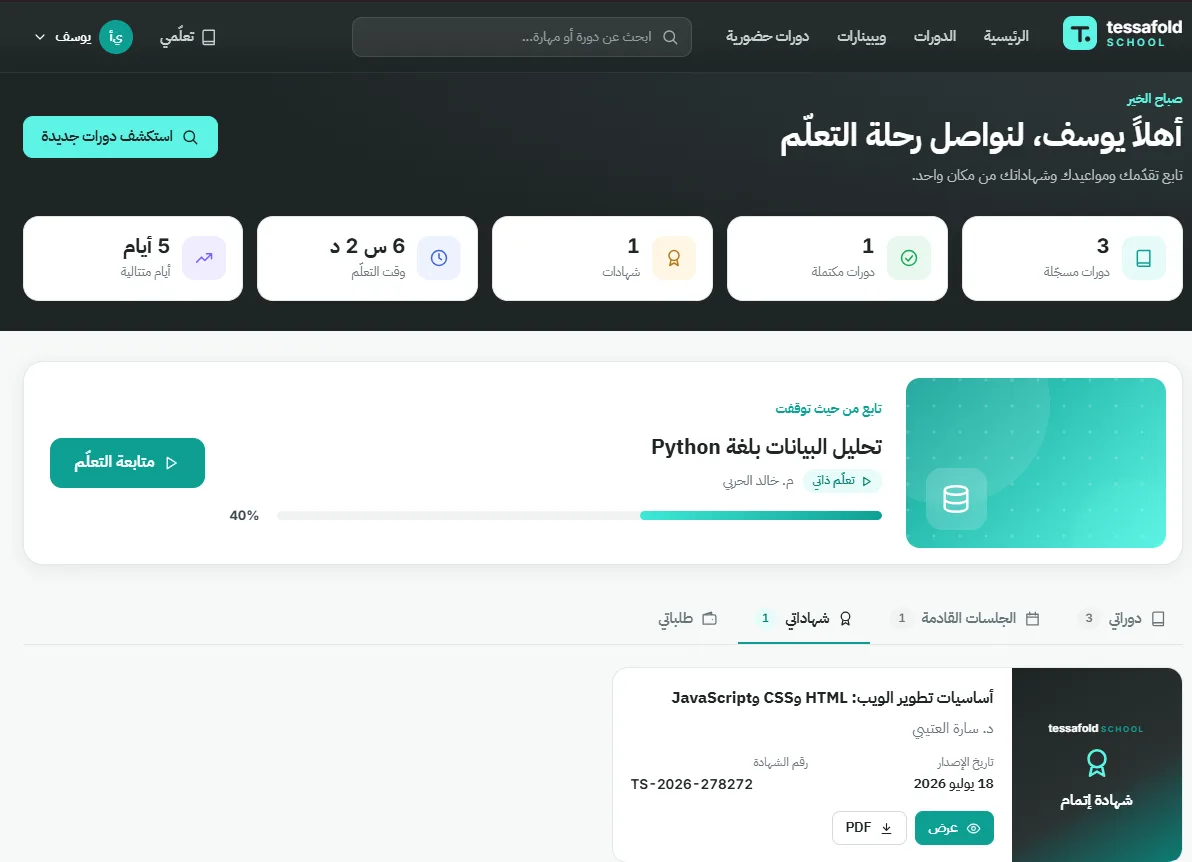
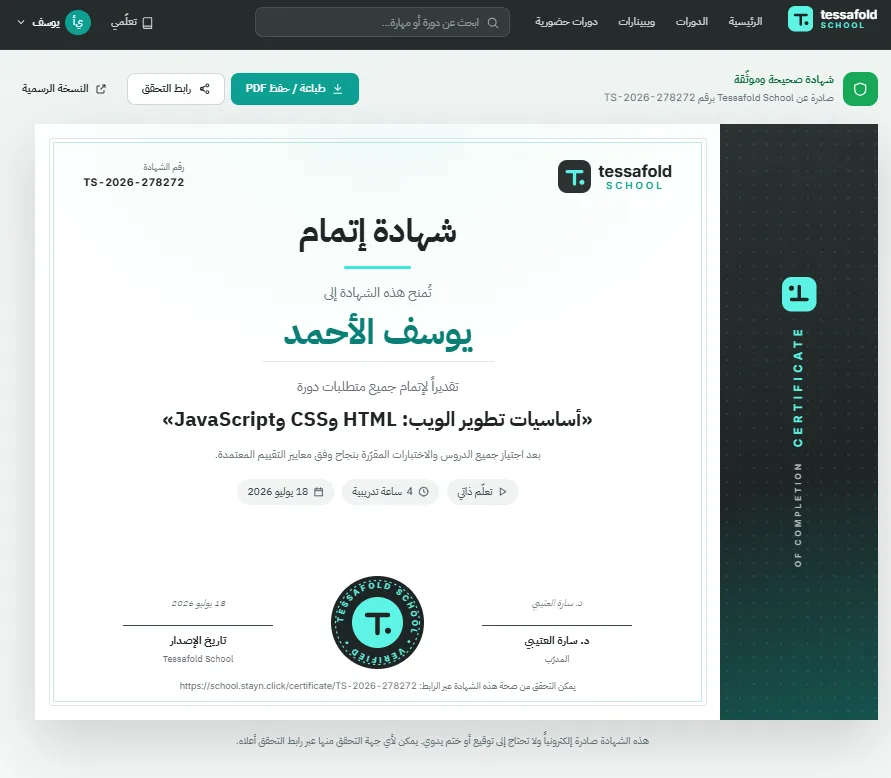
- ✓Receives the certificate automatically
The instructor
- ✓Edits their assigned course and its details
- ✓Adds videos and written lessons
- ✓Sets the seat count for on-site and hybrid sessions
- ✓Builds the quizzes
- ✓Answers learner questions
- ✓Checks people in from the attendance list
The company account
- ✓Buys places for its employees
- ✓Follows how far each one has got
- ✓Collects their certificates in one place
Administration
- ✓Manages courses and users
- ✓Appoints instructors and assigns them to courses
- ✓Full payment history
- ✓Special pricing tiers
Payments and systems
- ✓Stripe payments
- ✓Odoo bookkeeping integration
- ✓Microsoft Teams for webinars
- ✓Interface in Arabic, English and German
How It Works
What it looks like
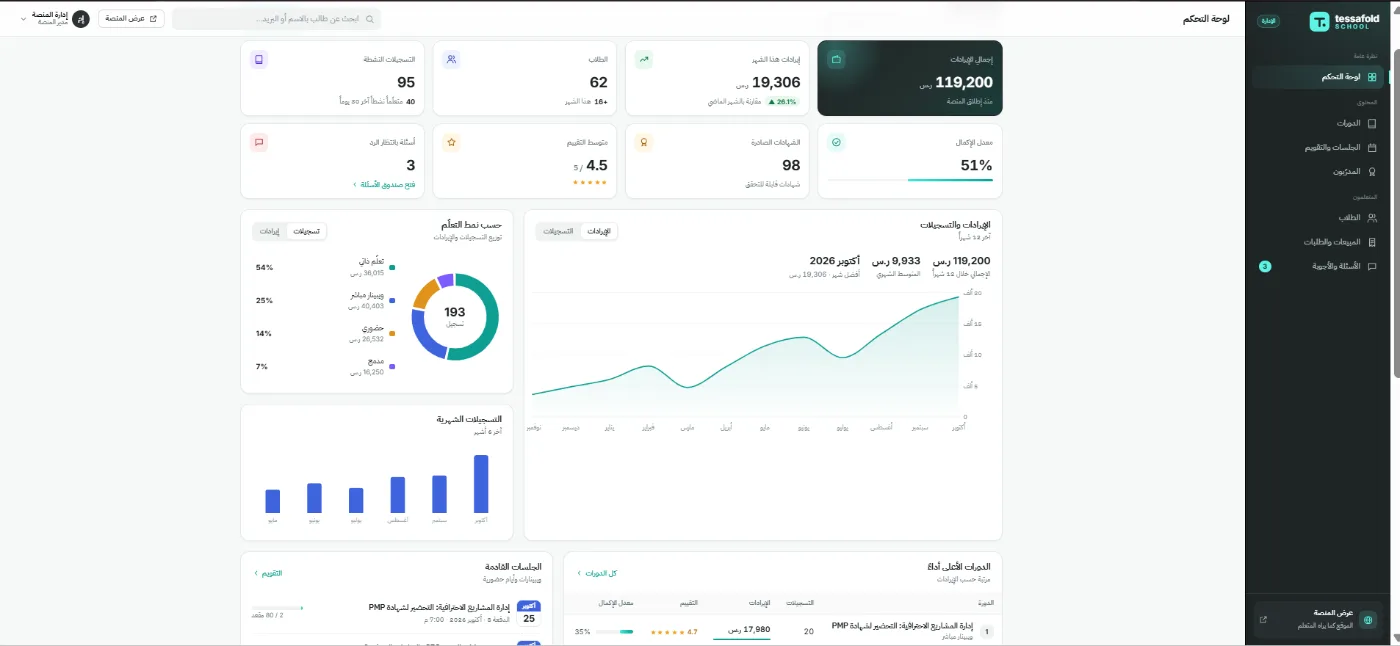
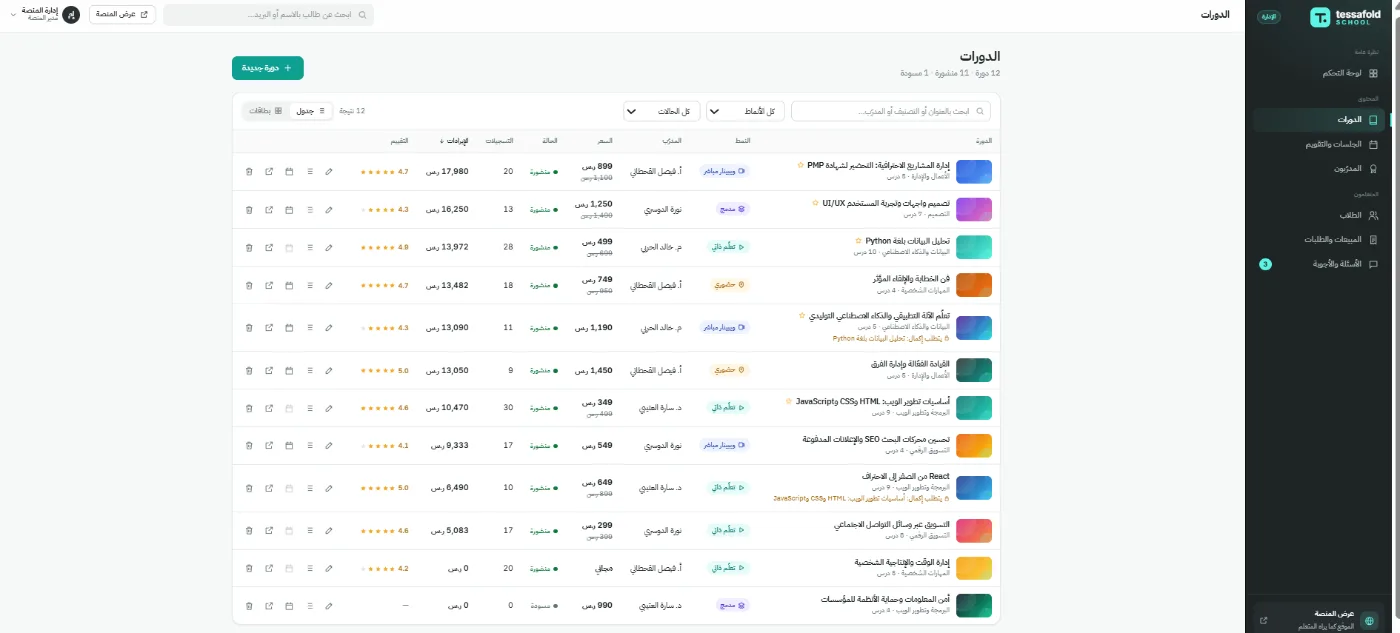
Screenshots from a demo environment. The learners, courses, ratings and figures shown are sample data, not a client deployment.
Best For
Vocational schools, universities, corporate training departments, and training companies in Germany and the Gulf.
Pricing Model
Questions buyers ask
Which kinds of course does it support?
Four: online with recorded video, on-site seminars, hybrid courses that combine both, and live webinars through Microsoft Teams. All four live under one account and one certificate.
Can a learner skip ahead through the videos?
No. Lessons unlock in order — the next one opens once the one before it is finished.
How are certificates issued?
Automatically at the end of the course, carrying the institute owner's signature.
Can companies buy courses for their staff?
Yes. A company representative has their own account, buys places for employees, follows how far each has got, and collects their certificates in one place.
How do on-site courses handle dates and seats?
The learner picks a date and location when booking, and a long course can carry several dates. Each session has a seat limit, and the instructor works from an attendance list to check people in.
How does a hybrid course work?
The theory is online and the practical part is mandatory in person. One purchase gives video access and a booked seat; the certificate comes after both are done.
What can an instructor do themselves?
An instructor is appointed by the admin and assigned to a course, then edits it directly: details, videos, written lessons, seat counts, quizzes, learner questions and the attendance list.
How do people pay?
Through Stripe, with a full payment history in the admin dashboard and special pricing tiers where you need them.
Does it connect to accounting?
Yes — the platform integrates with Odoo bookkeeping.
How long until we are live?
Three to five weeks, covering branding, configuration, integration and testing.
Who you are dealing with
- ✓Registered in Saudi Arabia (CR 4030592418) and in Germany (USt-ID DE354426362)
- ✓Offices in Jeddah, Berlin and Dubai
- ✓GDPR-compliant delivery on every project
- ✓A German-speaking contact on German-language projects
- ✓We work in Arabic, English and German
Interested? Let's talk.
Tell us about your project and we'll send you a custom proposal within 48 hours.