
For osteopaths, chiropractors and manual therapy clinics.
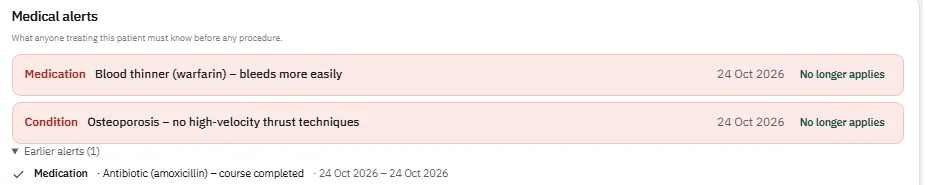
The file says osteoporosis — so the system says no high-velocity thrust.
Manual therapy runs on what you must not do. Patient records with contraindications, treatment rooms, multi-session plans and consent — under your own brand, on iOS, Android and the web.
If a contraindication has to be remembered rather than looked up, this is for you.
The problem
A patient comes in for a spinal adjustment. She has osteoporosis and takes a blood thinner, both mentioned once, months ago. In manual therapy that is not background — it rules out a whole class of technique. The information exists; it is just not in front of the person about to treat her.
What changes for you
- ✓Contraindications in red at the top of the file, before any hands-on work
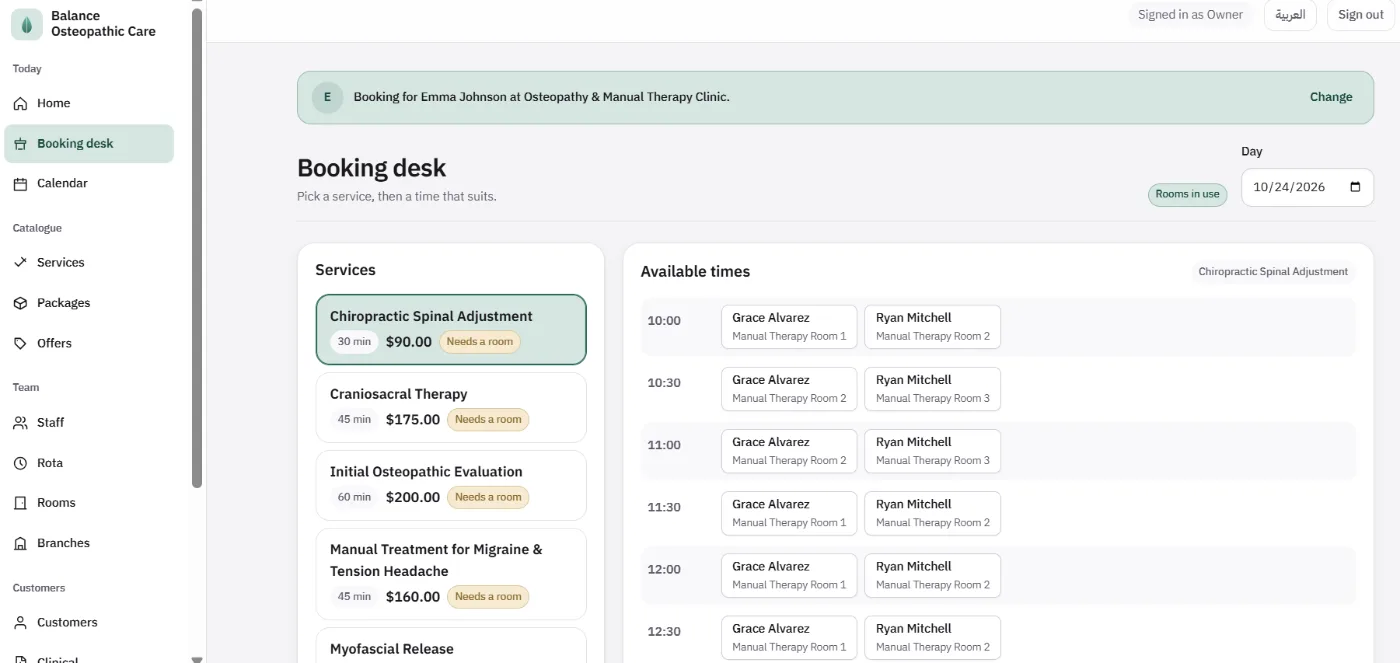
- ✓Treatment rooms held by the appointment alongside the practitioner
- ✓A course of treatment tracked as a plan, session by session
- ✓Consent taken and versioned before anything clinical is recorded
What you get
- ✓iPhone and Android apps published under your clinic's name
- ✓Rooms, devices and chairs as bookable resources, each with its own availability
- ✓A calendar per practitioner and per room, where a conflict is refused by the database rather than by a rule
- ✓Medical alerts that rule out a technique — osteoporosis means no high-velocity thrust, a blood thinner means more care, and the file says so before the session starts
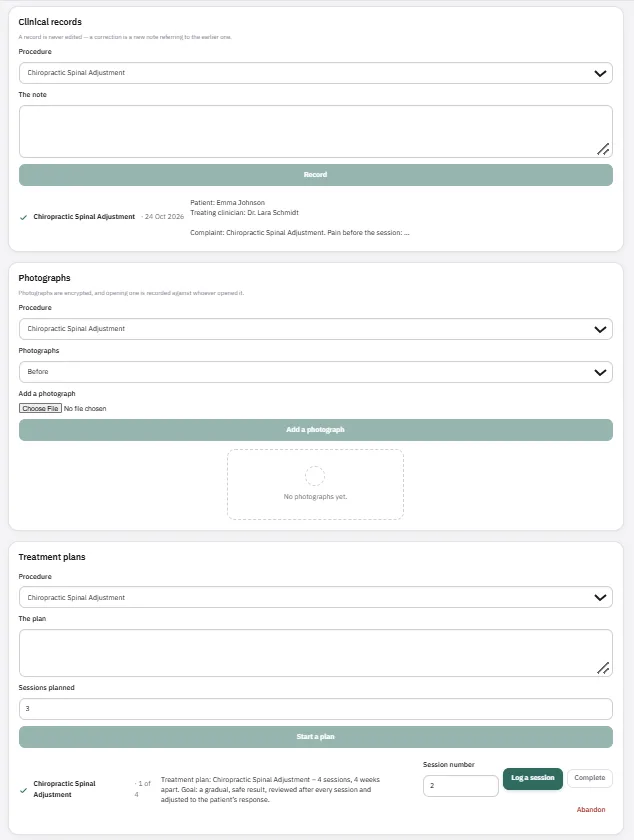
- ✓Clinical records that cannot be edited: a correction is a new entry pointing at the one it corrects
- ✓Consent, versioned and withdrawable, required before anything clinical can be recorded
- ✓Before and after photographs, encrypted, with every opening logged against whoever opened it
- ✓Multi-session treatment plans, with each session logged as it happens
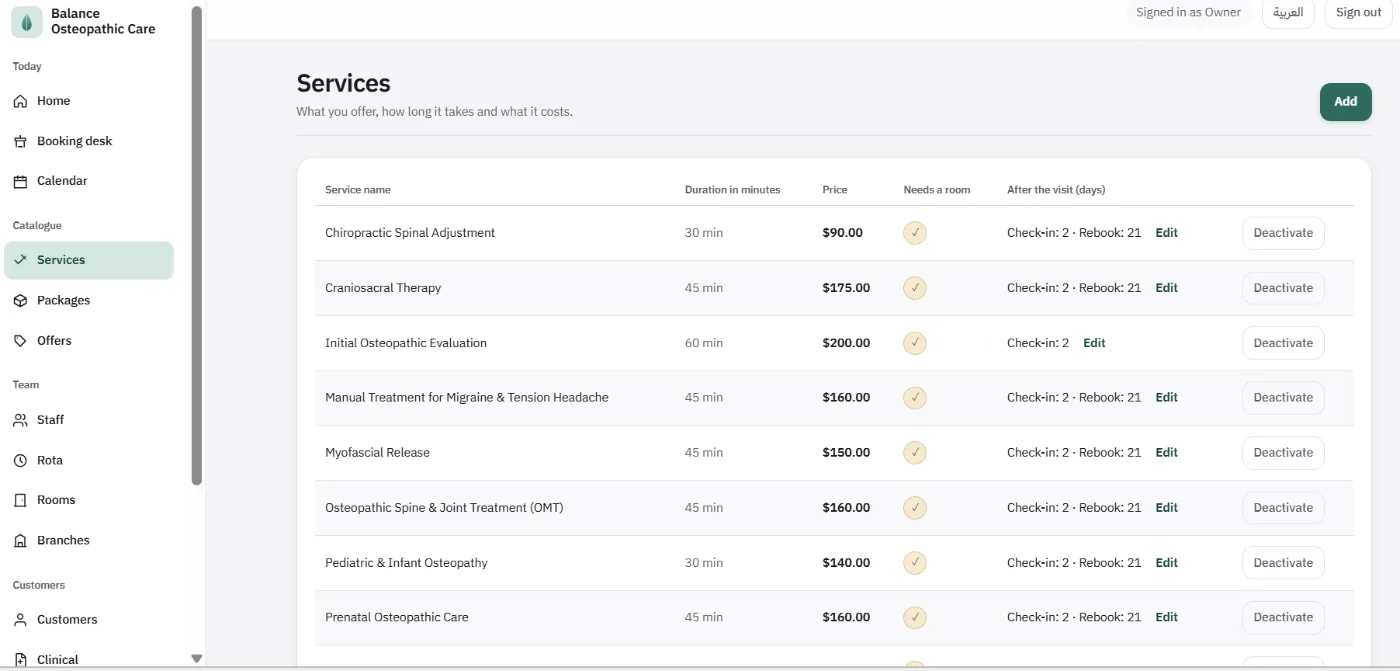
- ✓Follow-up per treatment: check in after so many days, recall after so many more
- ✓Wallet, packages with a shared balance, loyalty points, offer codes and gift cards
- ✓Arabic, English or German, with every price in riyals, dollars or euros
- ✓Reports by treatment, by practitioner and by branch — cancellations and no-shows are never counted as revenue
How it works
- 1Book a demo — 30 minutes, we walk through the osteopathy build live.
- 2We brand it — your name, logo and colours, on your own domain.
- 3We load your practice — services and prices, practitioners, rooms and devices, follow-up windows, consent forms.
- 4You go live — your app is published and patients book from it.
What it looks like
Screenshots from a demo environment. The patients, treatments, alerts and prices shown are sample data, not a real practice.
Try it yourself, in your language
The same platform set up three times over, each as a separate business with its own language, currency and branding. Open any of them and look around — these are live, with sample data.
Demo environments with sample data. For a test account with sign-in, get in touch.
Pricing
You pay once to set it up. We run it for you, or it becomes entirely yours.
Hosted with us
we host and run it · one year of support included
from$3,200setup
+$1,200+ mobile apps (iOS and Android)
Full ownership
your own hosting · you receive the source code after customisation
from$8,000setup
+$2,500+ mobile apps (iOS and Android)
From the second year, support and updates are $2,400 a year.
Integrations such as ZATCA invoicing and extra payment gateways are available as add-ons (on request).
See it running under your clinic's name before you decide anything.
- A one-off setup fee, not a subscription
- Go live in weeks
- We set it up for you